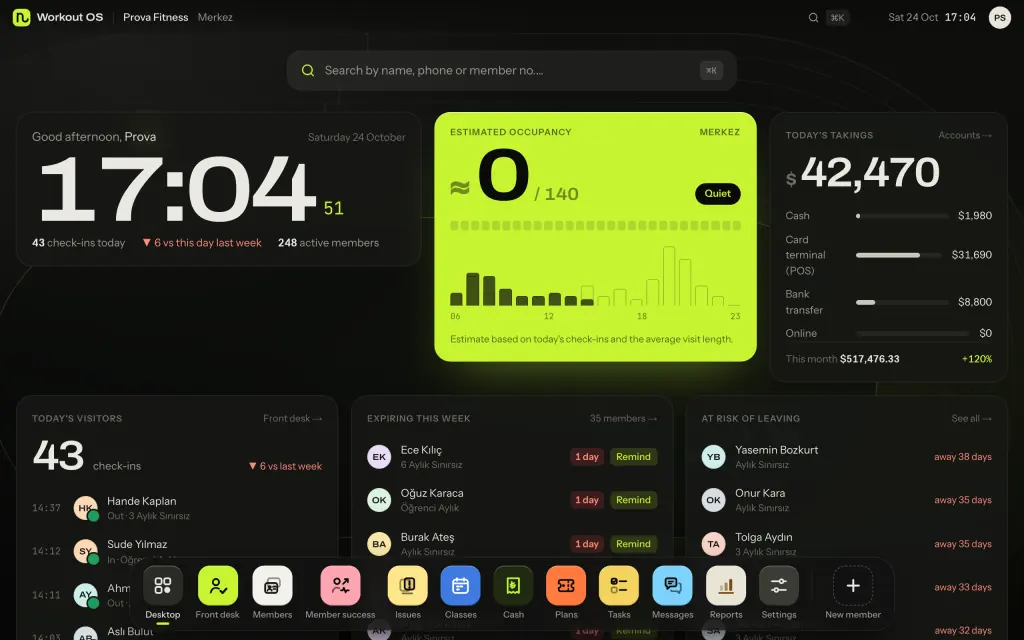
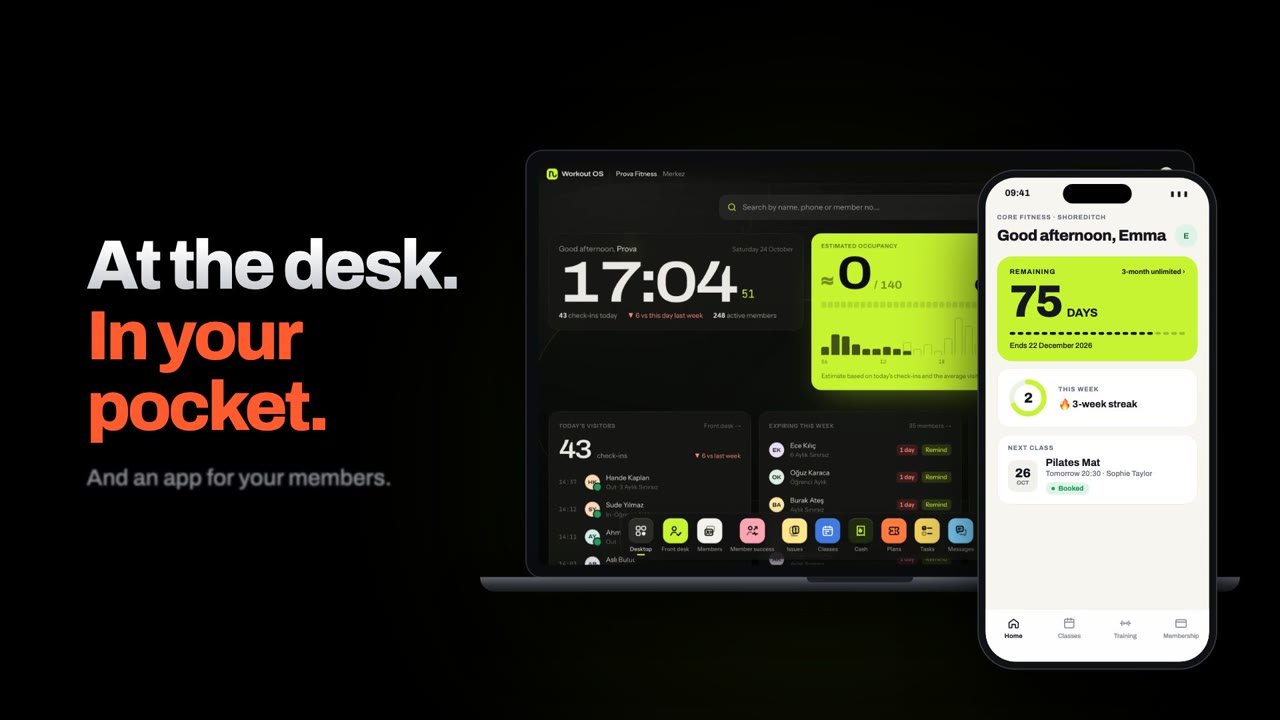
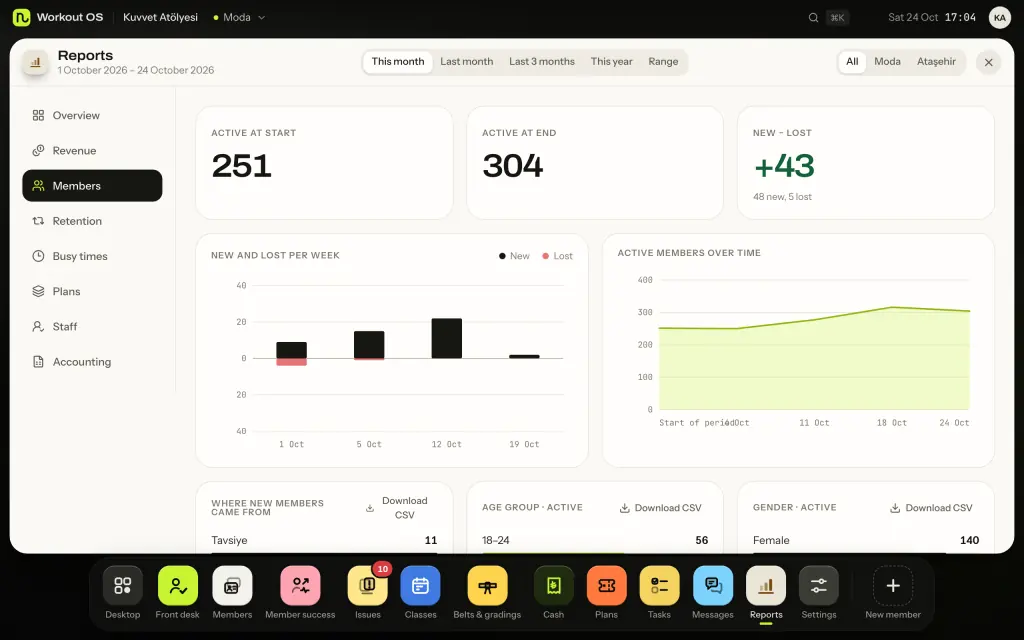
Memberships, classes and bookings, payments and reports in one place. On top, it helps you spot members drifting away and win them back, and your data always stays yours.
These aren't design mockups: they're screens from the app itself, with sample data.
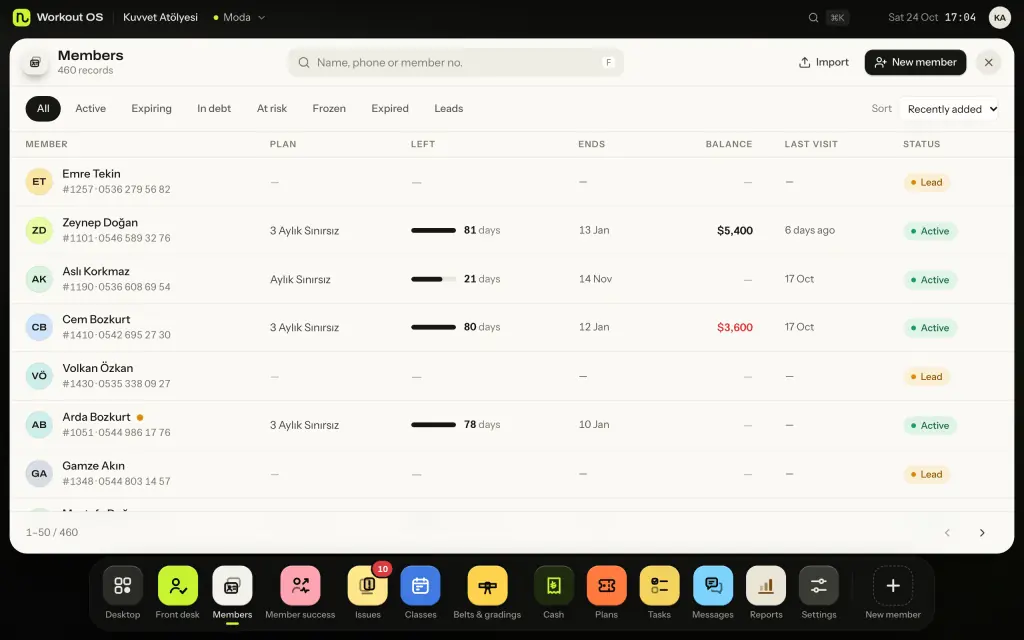
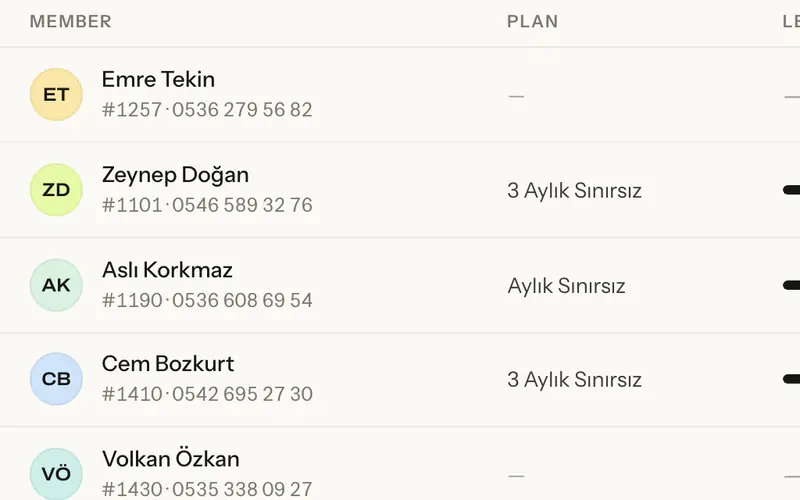
Every member's plan, days left, balance and last visit on one line. Expiring, owing and frozen members are one tap away.
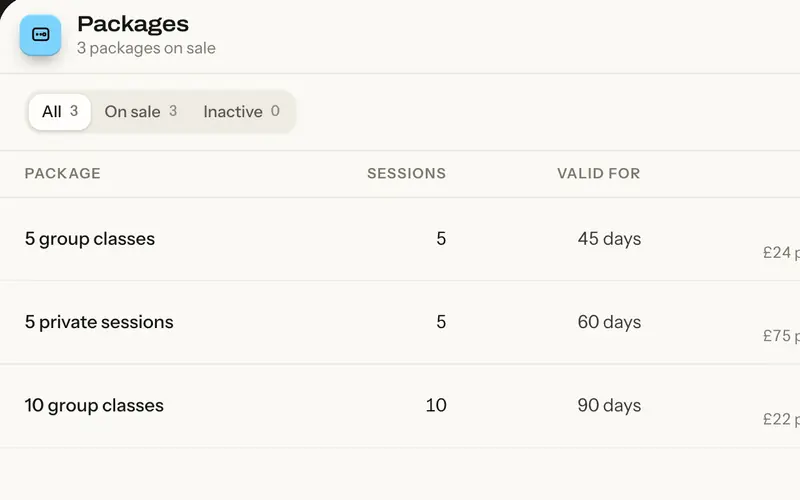
Plans and session packs
Balances and instalments
Import from Excel
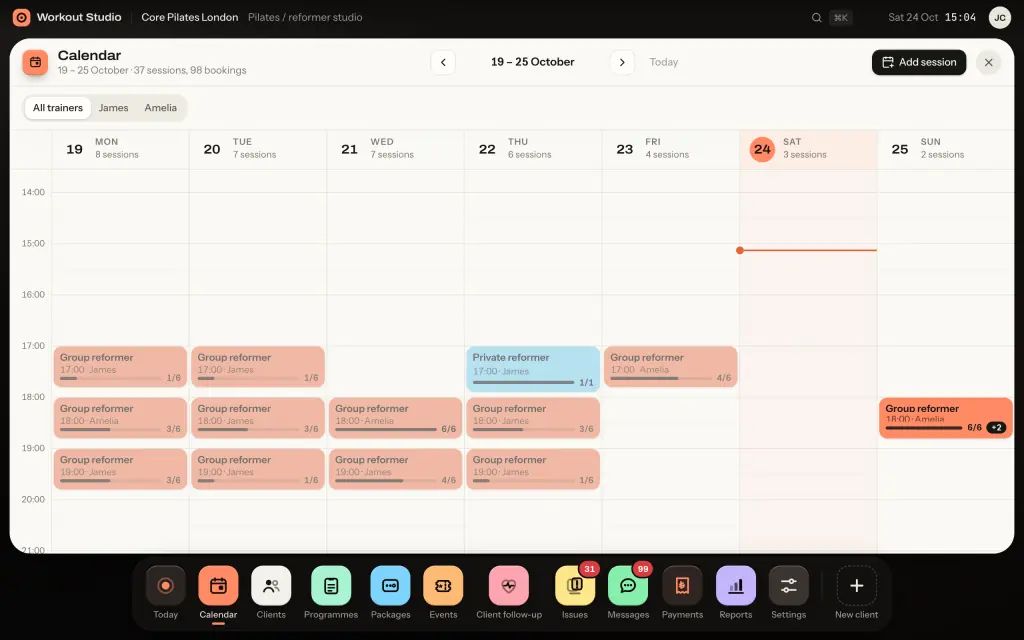
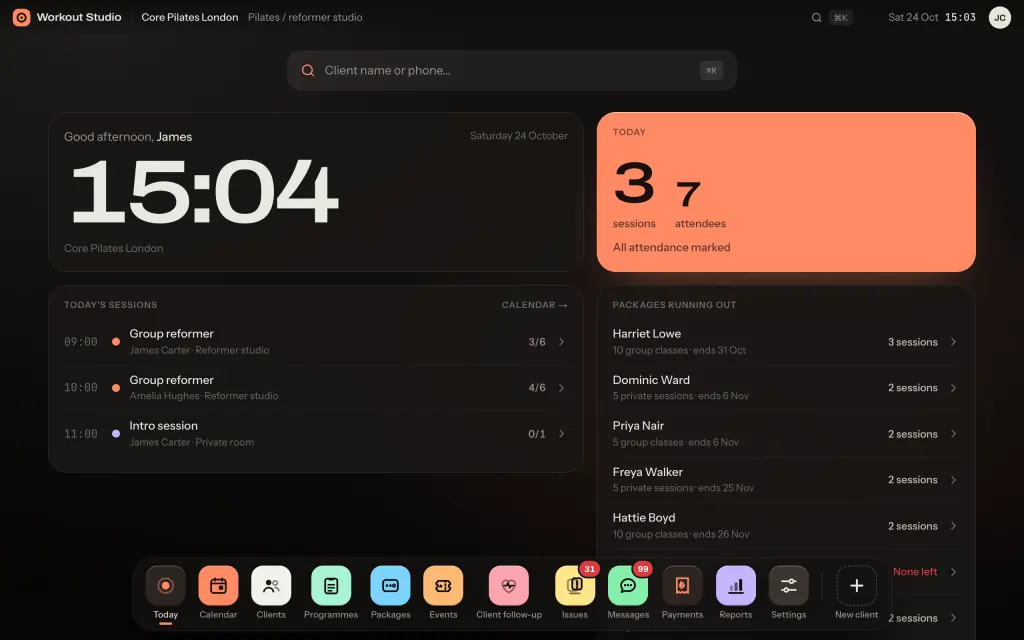
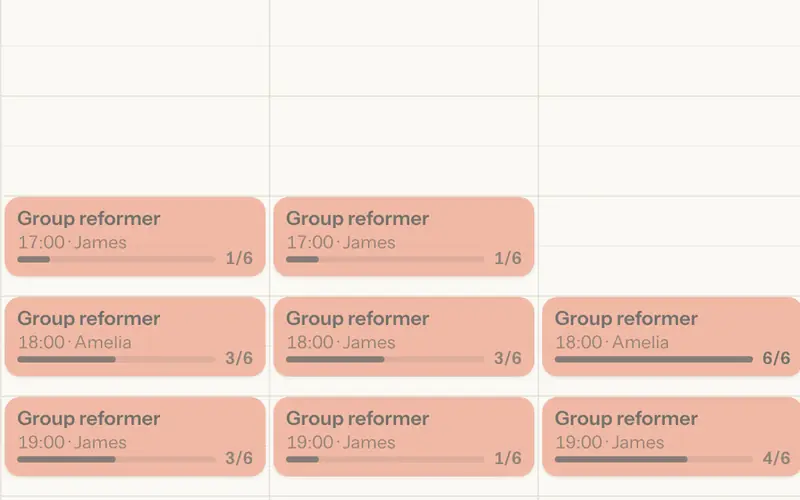
Group classes and one-to-one sessions on a weekly calendar, filtered by trainer. Each session shows how full it is; reformer classes are capped at the number of machines.
Group and private sessions
Trainer calendars
Waitlists
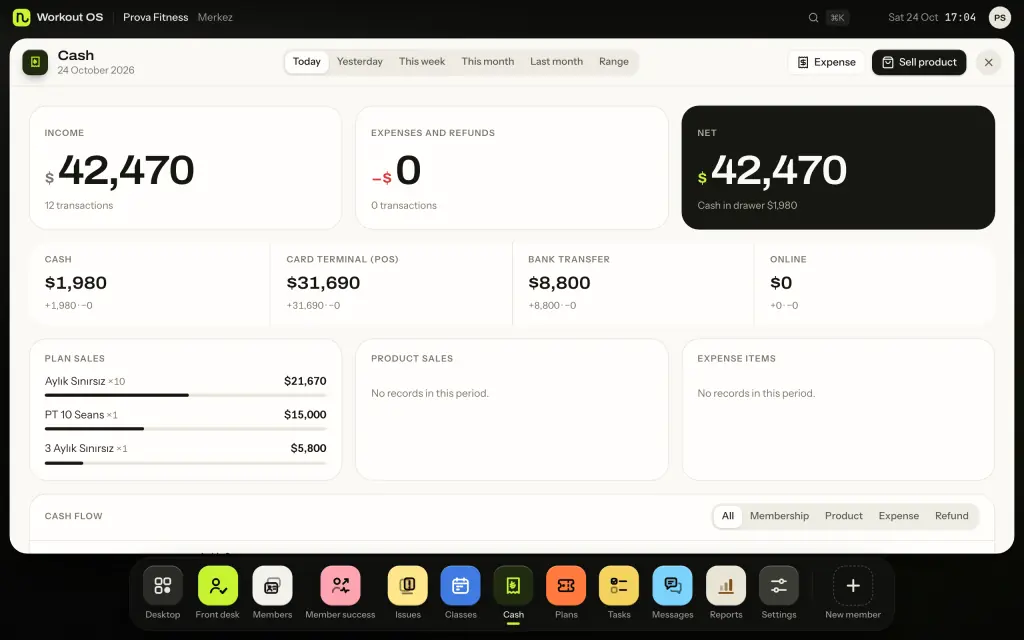
Cash, card terminal, bank transfer and online payments, kept apart. Plan sales, expenses and net takings on one screen; the month-end file for your accountant is ready.
Daily cash-up
Instalments and balances
CSV and accounting export
Package ending, session reminder, payment link, form request: the message is drafted for each reason and you review it before it goes. Send by SMS, email or app push.
Ready-made drafts by reason
Payment and booking links
Every send logged
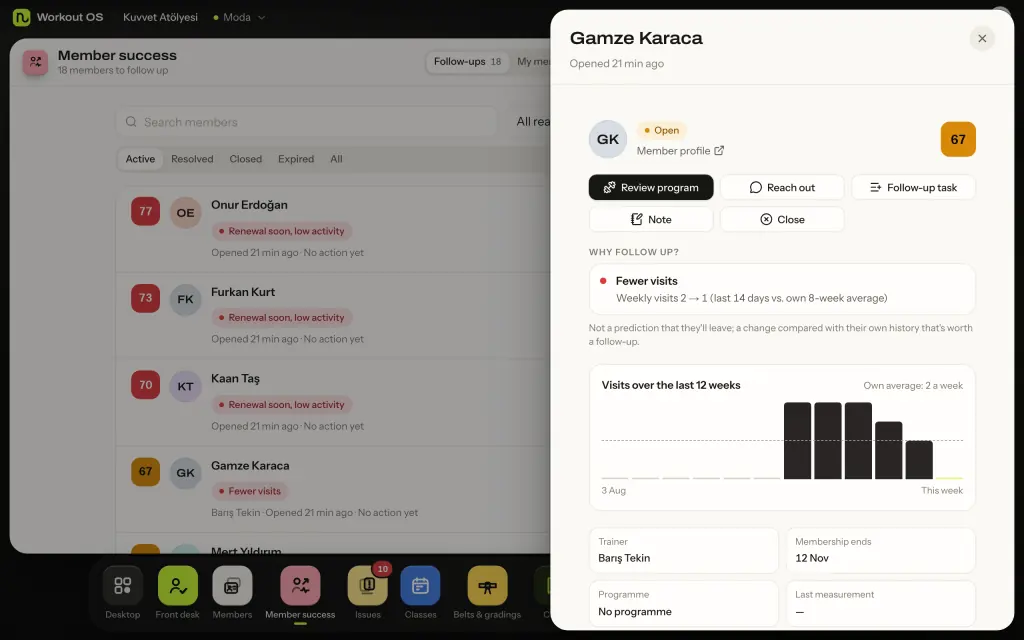
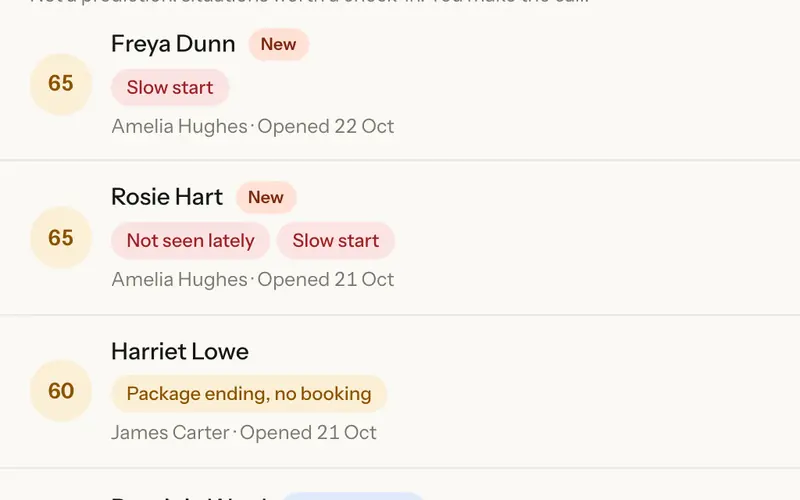
Compares each member with their own history and states the reason in numbers: "weekly visits 2 → 1". Suggests a task for the trainer and a message draft for the team, and measures the outcome after 14 and 30 days.
Explainable rules
Follow-up tasks
No black-box prediction
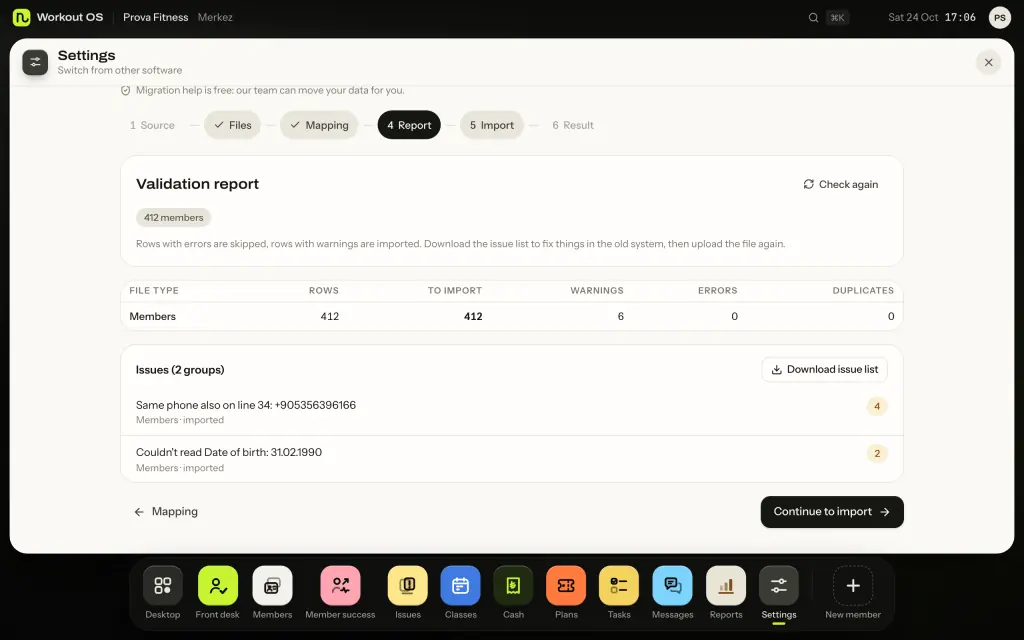
Upload the file exported from your current software or spreadsheet. You see a validation report before anything is imported; rows with errors are skipped and everything can be undone in one click.
Validation report first
Undo
Free migration help
Workout OS · MembersReal screen · sample data
01 / 06Real screen · sample data
Sound familiar?
Five things you deal with daily.
01You notice a member left at renewal.
02Info is scattered across spreadsheets and chat threads.
03Only one person knows who owes what.
04Fear of moving data keeps you stuck.
05Your payment provider takes its cut.
What's different
Why switch to Workout OS?
Memberships, calendars and cash are everywhere. The difference is these six.
01
Catch members early
In most toolsA no-show list; the rest is yours.In Workout OSStates the reason, suggests the next step.How?Catch members earlyCompares each member with their own normal and suggests a programme review, a message draft or a follow-up task. Measures the outcome after 14 and 30 days, side by side with members nobody contacted.
02
Nothing lost switching
In most toolsRetyped records, gaps show up later.In Workout OSOne wizard, validation report first.How?Nothing lost switchingMembers, plans, payments, attendance and bookings come across together. Re-import while the old system still runs, without duplicates; we don't suggest switching it off until reconciliation is all green.
03
Your data, yours
In most toolsExports need a support ticket.In Workout OSCSV and JSON in one click, free.How?Your data, yoursThe owner downloads everything any time, no waiting. 90 days of read-only access and export even after you close the account.
04
Zero commission
In most toolsThe payment provider is chosen for you.In Workout OSCash, card terminal or your own account.How?Zero commissionYou decide which methods to use; we take no commission on member payments. Each method shows separately in the cash-up, and the month-end accounting file is ready.
05
Reach them where they are
In most toolsGeneric blasts you write by hand.In Workout OSReady-made reminders and drafts by reason.How?Reach them where they areReminders and drafts are ready for each reason, such as package ending or payment due, across SMS, email and app push. You review and send; every send is logged. Drafts in English and Turkish.
06
Open integrations
In most toolsAPI costs extra, hardware required.In Workout OSAPI and webhooks on every paid plan.How?Open integrationsSigned webhooks and calendar feeds included, read access on the free plan. Your existing door system connects through the API, no hardware to buy. A consistency check flags mismatches like "frozen, but the door still opens".
Enter your own numbers. The maths runs in your browser and nothing is sent anywhere.
Products
Two products, built for how you work.
A gym's day isn't a studio's day. That's why we built two separate panels, from the same team on the same foundation.
workoutOSGyms and fitness clubs
Lots of members, a busy front desk, a till that closes every day.
From the front desk to the cash-up, PT packs to member follow-up: the daily work of a gym in one panel.
Memberships, freezes and PT packs
Front desk and check-ins
Cash, card, transfer and online payments
A follow-up list for members who stop coming
Workout OS · Reports
workoutSTUDIOPilates and reformer, PT, yoga studios
Sessions, packs and clients.
For businesses with small classes and close relationships: session packs, trainer calendars and client follow-up.
Session packs and credits left
Group and private sessions capped by equipment
Trainer calendars
Reminders and payment links by SMS, email or push
Workout Studio · Today
Who it's for
Four businesses, four different days.
The screens are set up around how each business actually runs. Find yours below.
Workout OS
Gyms
Monthly and annual memberships, freezes and PT packs. The front desk logs check-ins, the till closes at the end of the day, and memberships ending this week are on the first screen.
Workout Studio
Pilates and reformer
Session packs with credits left and expiry dates. Group classes are capped at the number of machines; full classes get a waitlist, and late cancellations use up a credit.
Workout Studio
Personal trainers
One-to-one session packs and per-session pricing. Client programmes and bookings in one place, with a renewal reminder before the pack runs out.
Workout Studio
Yoga and wellness
Group classes, workshops and events. Class packs, waitlists and a follow-up list for clients who stop coming.
Switching
Switch in three steps.
You won't retype your records. Migration help is free.
01
Export your data
Export members, memberships, payments and attendance history from your current software or spreadsheet. The wizard shows where to find the export.
02
Check the report
Columns are matched automatically. Before anything is imported you see how many rows will come across, plus warnings and errors.
03
Import
Import in one click, and undo in one click if something looks wrong. Or let our team do these steps for you.
Some of the systems whose exports we recognise
Mindbody
Glofox
PushPress
Zen Planner
Wodify
Arbox
TeamUp
Momence
bsport
Eversports
Virtuagym
WellnessLiving
Mariana Tek
GymMaster
ClubReady
BulutGym
Excel / Google Sheets
Founding member list
Be one of the first 50.
Launch invites go to this list first. The first 50 founding customers (Workout OS and Workout Studio combined) become founding members; a spot is taken with the first payment. A few short emails until launch, that's it.
40% founding member discount for your first 6 months
Free assisted data migration
Priority onboarding
One-click unsubscribe in every email
You're on the list.
We've sent a short confirmation email. You'll be the first to hear at launch.
FAQ
Frequently asked questions
What is Workout OS?
Workout OS is browser-based management software for gyms and fitness clubs: memberships, check-ins, classes and bookings, payments, reports and member follow-up in one panel. Workout Studio is the same team's version for pilates, reformer, PT and yoga studios. Both are built by Laten Lukken Yazılım Sanayi Ticaret Ltd. Şti., a software company based in Türkiye, and sold worldwide.
When does it launch?
Our target is Q4 2026. People on the early access list hear first; we'll email you once the date is set.
How much will it cost?
Prices will be published on this site at launch. The one thing already fixed is the founding member offer: the first 50 founding customers (Workout OS and Workout Studio combined) pay 40% less for their first 6 months.
What is the founding member offer?
The first 50 founding customers (Workout OS and Workout Studio combined) get 40% off their first 6 months. Founding spots open at launch: people on the early-access list hear first, and a spot is taken with the first payment. Free assisted data migration and priority onboarding are included.
How do we pay?
Subscriptions are paid by card through Polar, which acts as merchant of record and handles invoices and taxes. You can cancel any time in one click.
Can I bring my data from my current software?
Yes. The migration wizard reads files exported from your current software or spreadsheet, shows a validation report first, then imports, and the import can be undone. Our team can also move it for you, free.
Who owns my data?
You do. Export all your records as CSV/Excel at any time, free. We don't sell your data or use it for advertising.
Do I need turnstiles or a door system?
No. Workout OS is software only; we don't sell hardware. Check-ins can be logged at the front desk, and an existing door or turnstile system can connect through the API.
Which languages and countries does it support?
The panel is in English and Turkish, and it can be used from anywhere: software only, nothing to install. Currency, time zone and date format follow your business settings. This site is for customers outside Türkiye; Turkish businesses use workoutos.com.tr.
Workout OS or Workout Studio?
If you run a gym or fitness club built around memberships and a front desk, Workout OS. If you run a pilates, reformer, PT or yoga studio built around session packs and bookings, Workout Studio. Not sure? Write to us.
Contact
Questions? Write to us.
Questions about the product, switching or partnerships: write to us and we reply within 1 business day.